Top 5 Streaming Sticks That Make an Older TV Feel New Again (No New TV Required)

Ranked from thousands of Amazon reviews by the Top5Verdict team.

Updated November 2026

As an Amazon Associate I earn from qualifying purchases.

An older TV with a perfectly good screen does not need to be replaced just because its apps stopped updating or it was never smart in the first place. The catch is picking a stick that fits the TV you actually have: its resolution, its HDMI port, and whether it can power the stick. Below are five in-stock sticks with large Amazon review counts, ranked so you can match one to an older set in a bedroom, kitchen, or a parent's living room.

Why most streaming upgrades for older TVs go wrong

Resolution is the first mismatch. A 4K stick still works on a 1080p or 720p TV because HDMI negotiates down to what the screen supports, but you pay for 4K, HDR, and Dolby Vision features that an older panel cannot show. On a TV you plan to keep as an HD set, an HD stick usually covers it; a 4K stick makes sense if the stick may move to a newer TV later.

Ports and power are the second. Every pick here needs an HDMI input, so a TV with only composite or coax inputs needs a separate HDMI-to-AV converter. The Roku listings say the sticks can power from the TV alone, and the Fire TV Stick HD lists Direct Power from the TV with its USB-C cable. In Amazon reviews, recurring themes for streaming sticks are ease of setup, remote convenience, and Wi-Fi reliability far from the router.

  1. 1
    Roku Streaming Stick HD with Voice Remote

    Roku

    Best Overall: The Easiest Way to Make an HD TV Smart

    Streaming Stick HD with Voice Remote

    Best Overall

    $15–$30

    If the goal is to make an older HD TV useful again with the least fuss, start with the Roku Streaming Stick HD. The live listing describes HD streaming on Roku's home screen, a slim stick that will not block neighboring HDMI ports, and power from the TV alone with no wall outlet needed. The included voice remote can turn the TV on, change the volume, and search by voice. In Amazon reviews, buyers often mention easy setup and a user-friendly interface, while remote reliability gets mixed feedback.

    • Powers from the TV, per the listing
    • Voice remote also controls TV power and volume
    • Slim stick will not block neighboring HDMI ports

    Pros

    • Powers from the TV, per the listing
    • Voice remote also controls TV power and volume
    • Slim stick will not block neighboring HDMI ports

    Cons

    • HD only, no 4K output
    • Needs an HDMI port on the TV
    Make That Older TV Smart Tonight, See Price →
    9.7 Exceptional
  2. 2
    Amazon Fire TV Stick 4K Plus with AI-powered Fire TV Search, Wi-Fi 6

    Amazon

    Most Reviewed: A 4K Stick That Grows With Your Next TV

    Fire TV Stick 4K Plus with AI-powered Fire TV Search, Wi-Fi 6

    Most Reviewed

    $25–$50

    If the stick might move to a newer TV in a year or two, the Fire TV Stick 4K Plus is the safest bet. The live listing describes 4K Ultra HD with Dolby Vision, HDR10+, and Dolby Atmos, plus Wi-Fi 6 support for smoother streaming when other devices share the router. On an older HD set it simply outputs at the TV's resolution, so you get the new interface now and the 4K features later. It has by far the largest Amazon review history here; buyers often mention easy setup and value, with mixed remote feedback.

    • Largest Amazon review count on this list
    • Wi-Fi 6 support per the listing
    • Ready for a 4K TV if you upgrade

    Pros

    • Largest Amazon review count on this list
    • Wi-Fi 6 support per the listing
    • Ready for a 4K TV if you upgrade later

    Cons

    • 4K and HDR features need a newer TV to show
    • Alexa-centric home screen is not for everyone
    Upgrade Now and Keep It for Your Next TV, See Price →
    9.7 Exceptional
  1. 3
    Roku Streaming Stick Plus with Voice Remote - 4K & HDR10+

    Roku

    Best Roku 4K: Simple Today, Ready for a Bigger TV Tomorrow

    Streaming Stick Plus with Voice Remote - 4K & HDR10+

    Best Roku 4K

    $25–$50

    If you like the Roku menu but want a stick that can follow the household to a 4K TV, the Streaming Stick Plus is the step up. The live listing describes 4K picture with HDR color, the same slim design that will not block neighboring HDMI ports, and power from the TV alone. The voice remote controls TV power and volume as well as the stick. On an older 1080p set it plays in HD, so the extra cost only pays off if a 4K TV is coming. In Amazon reviews, buyers often say it works well with older TVs, with mixed Wi-Fi feedback.

    • 4K and HDR color for a newer TV
    • Powers from the TV, per the listing
    • Same simple Roku home screen as the HD

    Pros

    • 4K and HDR color for a newer TV later
    • Powers from the TV, per the listing
    • Same simple Roku home screen as the HD stick

    Cons

    • 4K features are wasted on an HD-only TV
    • Costs more than the HD stick
    Get Roku Simplicity With 4K Headroom, See Price →
    9.6 Exceptional
  2. 4
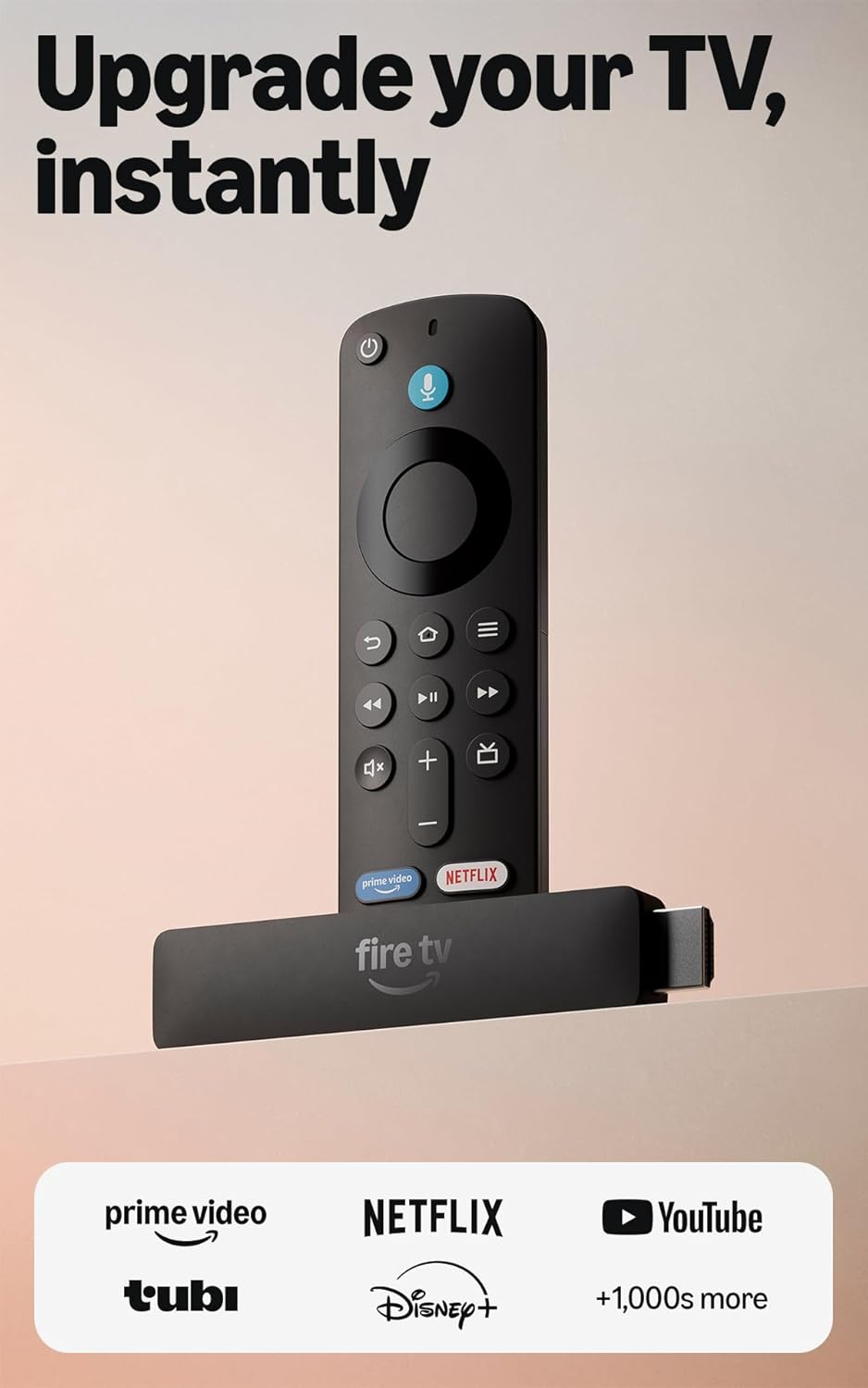
    Amazon Fire TV Stick HD (newest model), Alexa Voice Remote, powered by the TV

    Amazon

    Best Budget: A Spare-Room TV Fix at Stocking-Stuffer Money

    Fire TV Stick HD (newest model), Alexa Voice Remote, powered by the TV

    Best Budget

    $15–$35

    If you are outfitting a guest room, kitchen, or garage TV and want the lowest price range, the Fire TV Stick HD is the budget pick. The live listing describes Amazon's fastest HD stick, a thin design that will not block other HDMI ports, and Direct Power from the TV using the included USB-C cable, so no wall adapter is needed. The Alexa Voice Remote has power and volume buttons and app shortcuts. Its rating trails the Roku HD; reviews often mention easy setup and older-TV fit, with mixed reliability feedback.

    • Direct Power from the TV with the included
    • Alexa Voice Remote with TV power and volume
    • Thin stick that will not block other HDMI

    Pros

    • Direct Power from the TV with the included USB-C cable
    • Alexa Voice Remote with TV power and volume buttons
    • Thin stick that will not block other HDMI ports

    Cons

    • Lowest star rating on this list
    • HD only, no 4K output
    Fix the Spare-Room TV for Less, See Price →
    8.8 Very Good
  3. 5
    Amazon Fire TV Stick 4K Max (newest model), Wi-Fi 6E, 16GB storage

    Amazon

    Best Performance: The Fastest Stick for App-Heavy Homes

    Fire TV Stick 4K Max (newest model), Wi-Fi 6E, 16GB storage

    Best Performance

    $40–$85

    If you want the quickest stick for lots of apps and cloud gaming, the Fire TV Stick 4K Max is the top-end pick. The live listing describes a more powerful processor for fast app starts, 16GB of storage, which it says doubles the 4K Plus, Wi-Fi 6E support, and 4K with Dolby Vision, HDR10+, and Dolby Atmos. It also lists a Fire TV Ambient Experience with art and photos. On an older HD TV the speed still helps, but you pay for features the screen cannot show. Buyers often mention responsive speed.

    • 16GB storage, double the 4K Plus per the
    • Wi-Fi 6E support
    • Ambient art mode on supported TVs

    Pros

    • 16GB storage, double the 4K Plus per the listing
    • Wi-Fi 6E support
    • Ambient art mode on supported TVs

    Cons

    • Highest price range on this list
    • Most of its extras need a newer 4K TV
    Get the Fastest Fire TV Stick, See Price →
    9.7 Exceptional
Product Name Best For Key Spec/Feature Current Price Range Check Price
Roku Streaming Stick HD with Voice Remote A simple HD upgrade for an older 720p or 1080p TV HD streaming · powers from the TV · voice remote with TV controls $15–$30 See Price on Amazon →
Amazon Fire TV Stick 4K Plus with AI-powered Fire TV Search, Wi-Fi 6 A 4K stick that works on an HD TV now and a 4K TV later 4K · Dolby Vision, HDR10+, Dolby Atmos · Wi-Fi 6 $25–$50 See Price on Amazon →
Roku Streaming Stick Plus with Voice Remote - 4K & HDR10+ Roku's simple menu with 4K ready for a future TV 4K & HDR10+ · powers from the TV · voice remote $25–$50 See Price on Amazon →
Amazon Fire TV Stick HD (newest model), Alexa Voice Remote, powered by the TV The lowest-cost HD stick for a guest room or kitchen TV HD streaming · Direct Power from the TV via USB-C · Alexa Voice Remote $15–$35 See Price on Amazon →
Amazon Fire TV Stick 4K Max (newest model), Wi-Fi 6E, 16GB storage The fastest Fire TV stick with the most app storage 4K · Wi-Fi 6E · 16GB storage · Dolby Vision, HDR10+, Atmos $40–$85 See Price on Amazon →

Which one should you get?

  1. If you want the simplest upgrade for an older HD TV, get the Roku Streaming Stick HD (#1).
  2. If the stick may move to a 4K TV later and you like Alexa, get the Fire TV Stick 4K Plus (#2).
  3. If you want Roku's menu with 4K headroom, get the Roku Streaming Stick Plus (#3).
  4. If you are fixing a spare-room TV on the smallest budget, get the Fire TV Stick HD (#4).
  5. If you want the fastest stick with the most storage, get the Fire TV Stick 4K Max (#5).
Make That Older TV Smart Tonight, See Price →

These picks were sold by Amazon, so returns follow Amazon's policy. Prices and stock change; confirm on the product page.

What to Look for in a Streaming Stick for an Older TV

Confirm the TV has an HDMI port

All five sticks plug into HDMI. If the TV only has composite (red, white, yellow) or coax inputs, you need a separate HDMI-to-AV converter, and picture quality will be limited by that connection.

Match the stick to the screen

An HD stick covers a 720p or 1080p TV you plan to keep. A 4K stick also works on an HD TV and outputs at the TV's resolution, so it is worth the extra cost only if a 4K TV may be in its future.

Check how it gets power

The Roku listings say the sticks can power from the TV alone, and the Fire TV Stick HD lists Direct Power from the TV with its USB-C cable. Check the box contents on the live listing if the TV has no USB port.

Think about who will use the remote

Both brands include voice remotes that control TV power and volume. Roku HD buyers often mention a user-friendly interface in reviews; Fire TV leans on Alexa search.

Confirm the seller before you buy

All five were sold by Amazon.com at the live check. Prices and sellers change often during holiday sales, so confirm on the product page.

FAQ

Will a streaming stick work on an old TV?

Yes, if the TV has an HDMI input. The stick plugs into HDMI and needs Wi-Fi. TVs with only composite or coax inputs need an HDMI-to-AV converter, which is sold separately.

Do I need a 4K stick for a 1080p TV?

No. A 4K stick works on a 1080p TV and plays at 1080p, but its 4K and HDR features will not show. An HD stick such as the Roku Streaming Stick HD or Fire TV Stick HD covers an HD TV for less.

Do these sticks need a wall outlet?

The Roku listings say both Roku sticks can power from the TV alone. The Fire TV Stick HD listing describes Direct Power from the TV using its included USB-C cable. Check each live listing for the power options on the other sticks.

Do I still pay for streaming apps?

Usually, yes. The stick gives you access to apps and free channels, but services such as Netflix or Disney+ still need their own subscriptions; the Fire TV listings note that subscription fees may apply.

Roku or Fire TV for a parent or grandparent?

Both include voice remotes with TV power and volume buttons. In Amazon reviews, Roku HD buyers often mention a user-friendly interface, while Fire TV suits homes that already use Alexa or Prime Video.

See also